New article
Recently updated
Submitting an SAQ on Ideagen Supplier Management (SCM)

Who is this article for?
Suppliers using Ideagen Supplier Management (SCM) who need to complete and submit Self-Assessment Questionnaires.
No special access or permissions at required
This article covers the process of submitting a Self-Assessment Questionnaire (SAQ) on Ideagen Supplier Management (SCM).
You'll learn how to access outstanding questionnaires, complete the submission process, and confirm your SAQ has been sent for customer review.
1. Submitting an SAQ
- Navigate to and access the Ideagen Supplier Management portal. This process ensures your SAQ document is submitted in order for your customer to review.
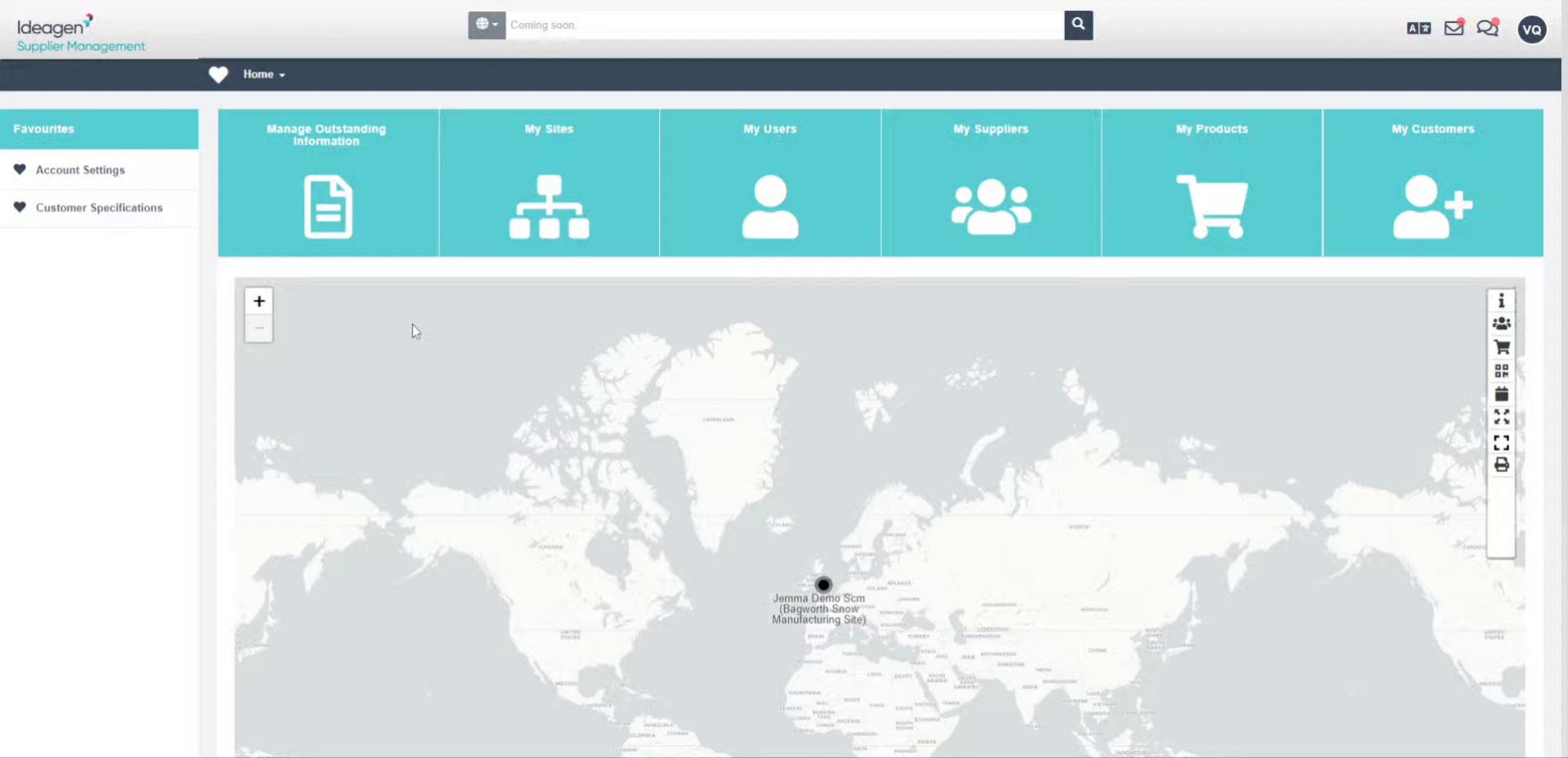
- Click Manage Outstanding Information to view pending Self Assessment Questionnaires requiring your attention.
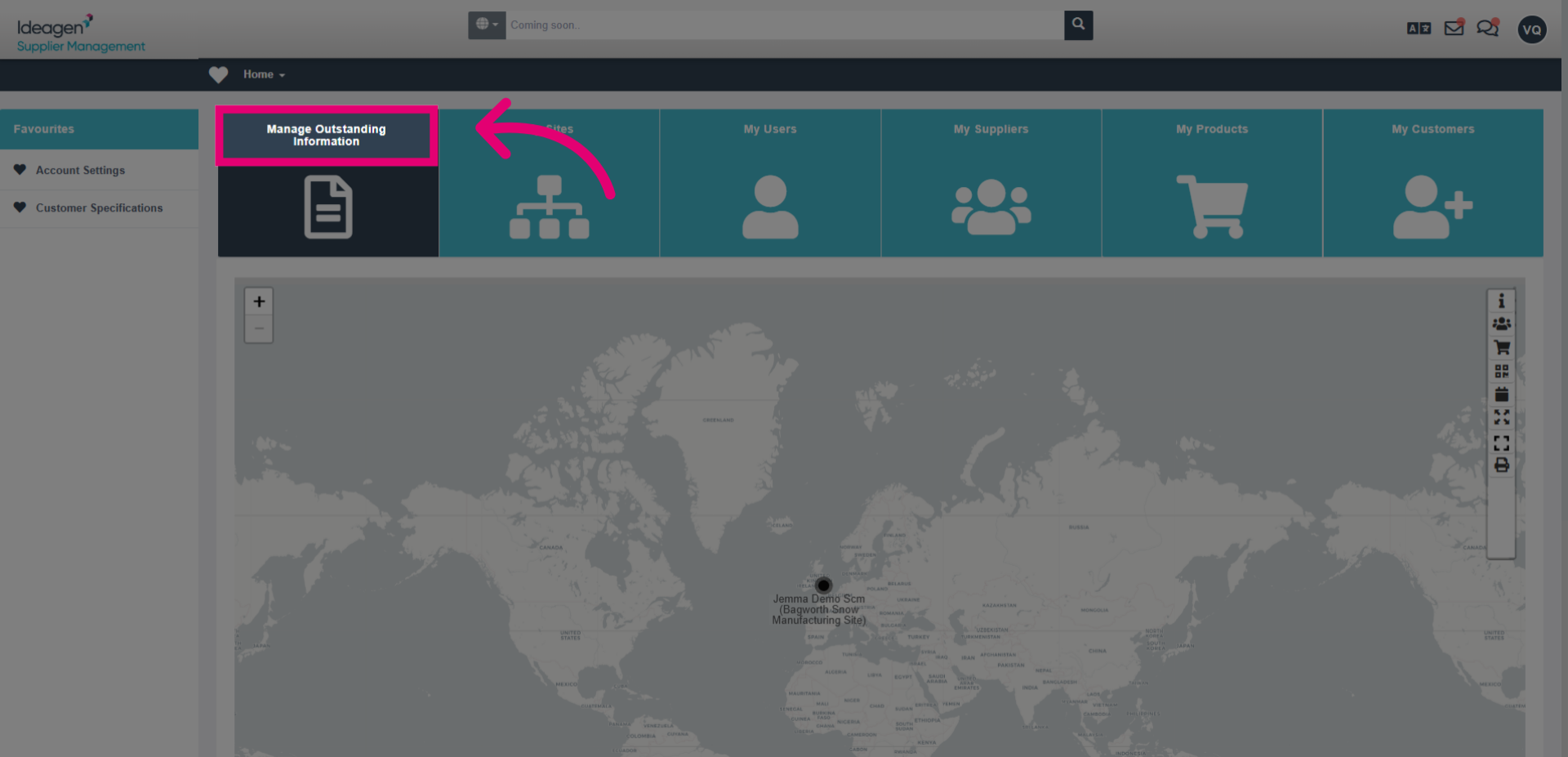
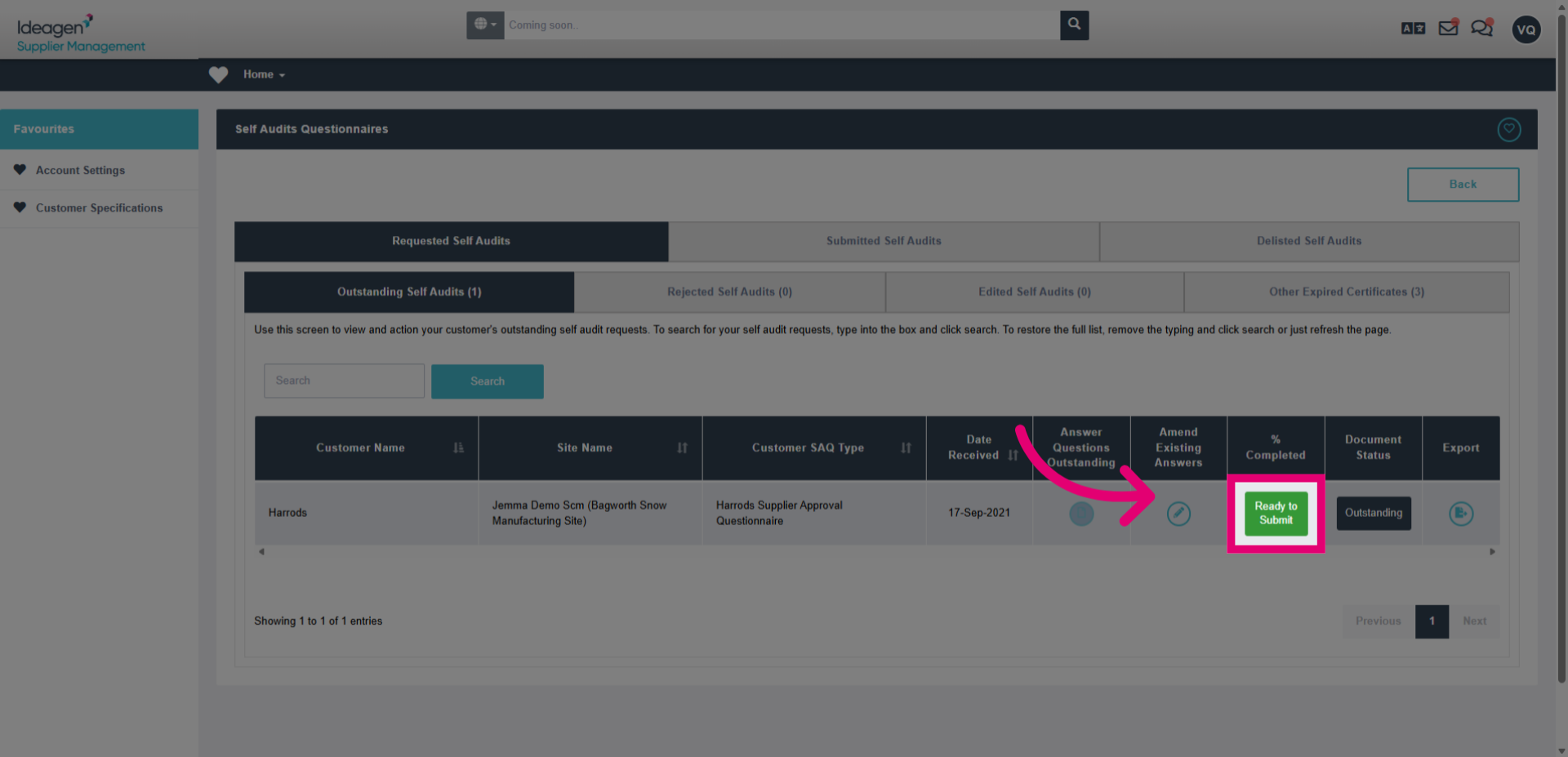
- Click the Self Audits and Other Certs Circle to locate the list of outstanding SAQ's.
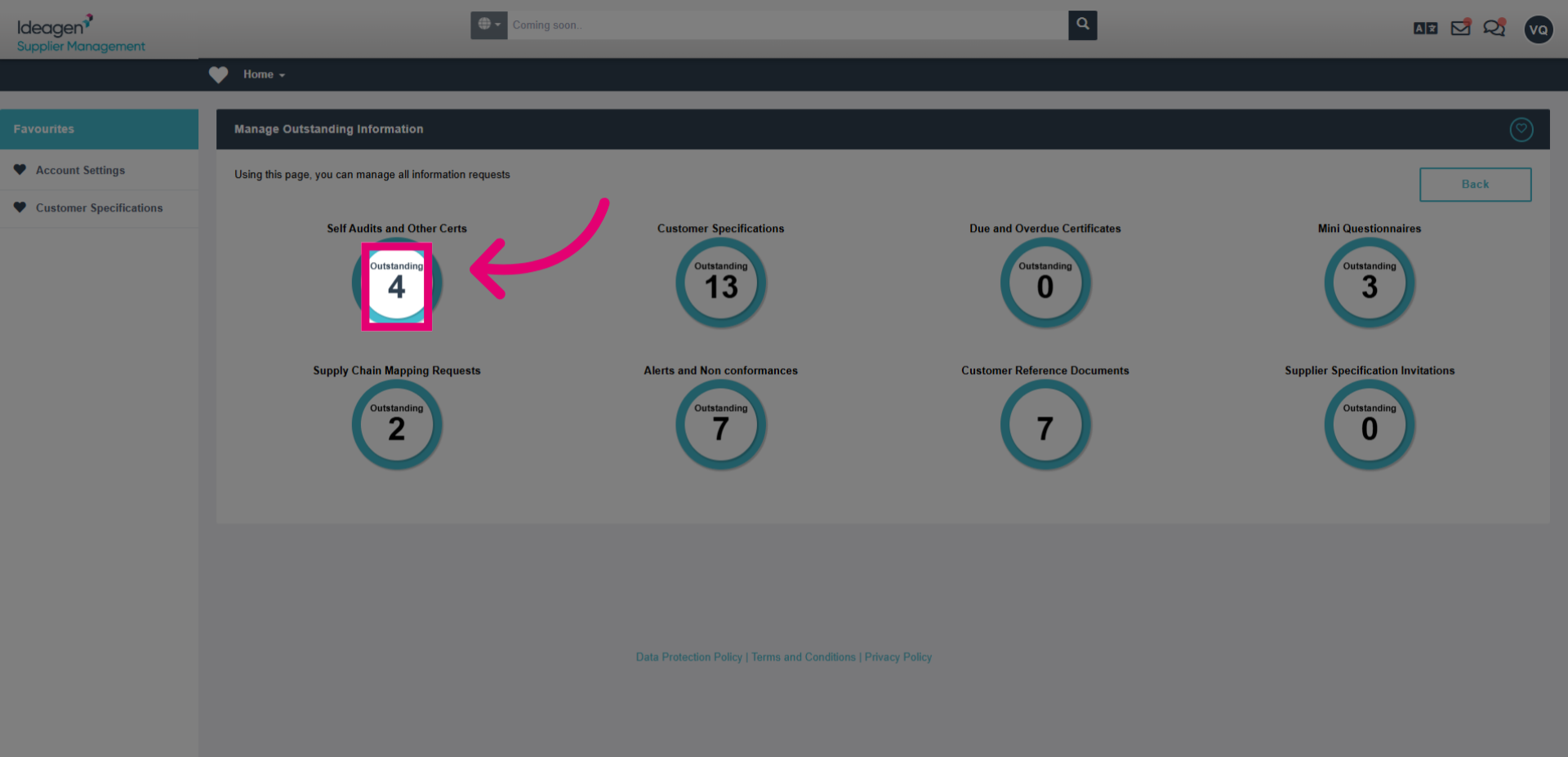
- Click Ready to Submit to indicate that the questionnaire is complete and prepared for submission. Ensure all information is up to date and complete before selecting this option.
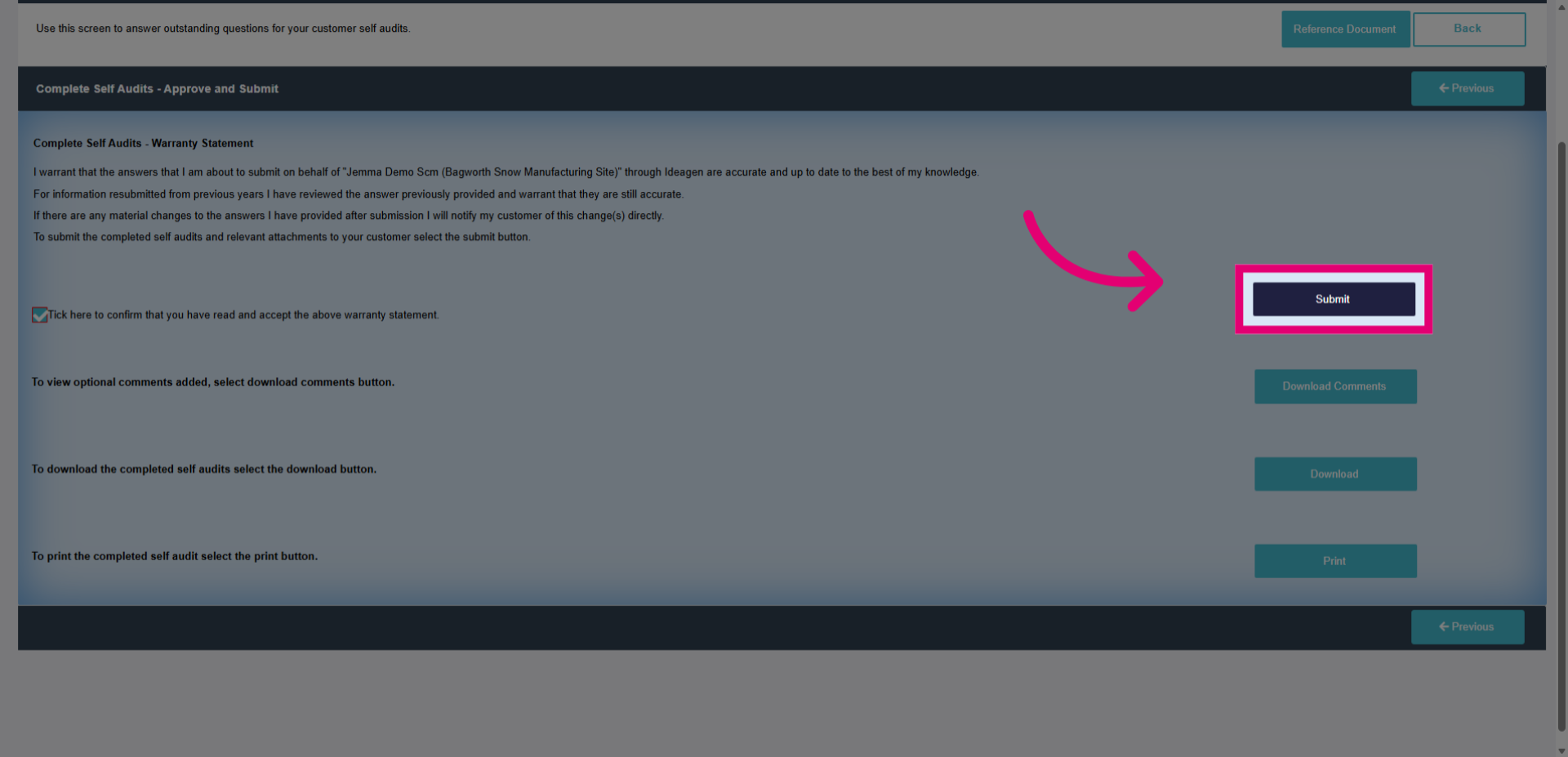
- Click Tick here to confirm that you have read and accepted the above warranty statement.
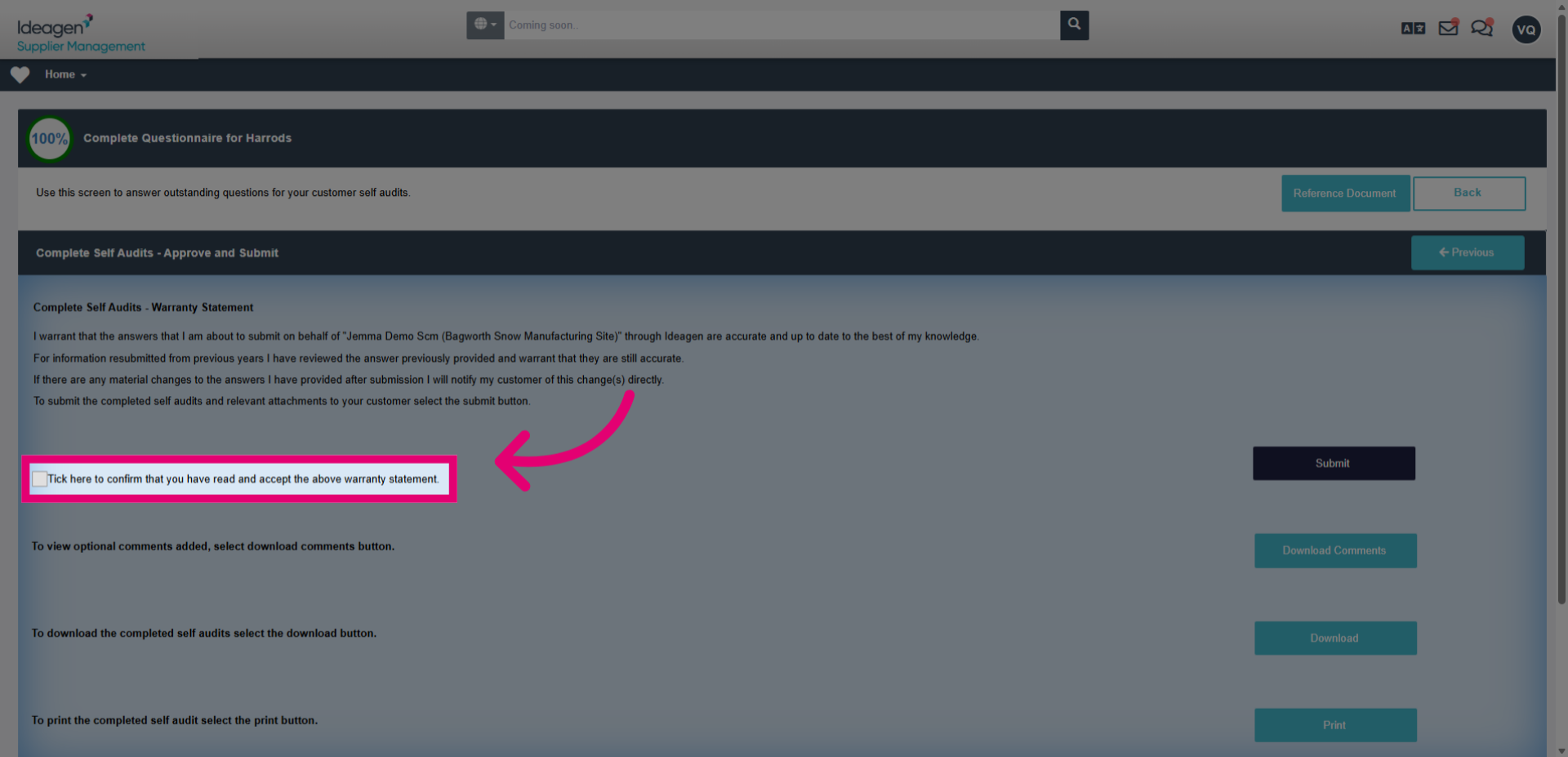
- Click Submit in order to submit the document for review. The page will load and return you to the SAQ page once submitted.