New article
Recently updated
Access supplier reference library in Ideagen Supplier Management

Who is this article for?
Supplier Management users who need to access reference documentation
No special access or permissions are required
This walkthrough will show you how to access the supplier reference library in Ideagen Supplier Management.
You'll learn how to navigate to the necessary documents and select specific files from the reference library.
1. Access the Supplier Reference Library
- Go to secure.qadex.com to access the Ideagen Supplier Management platform.
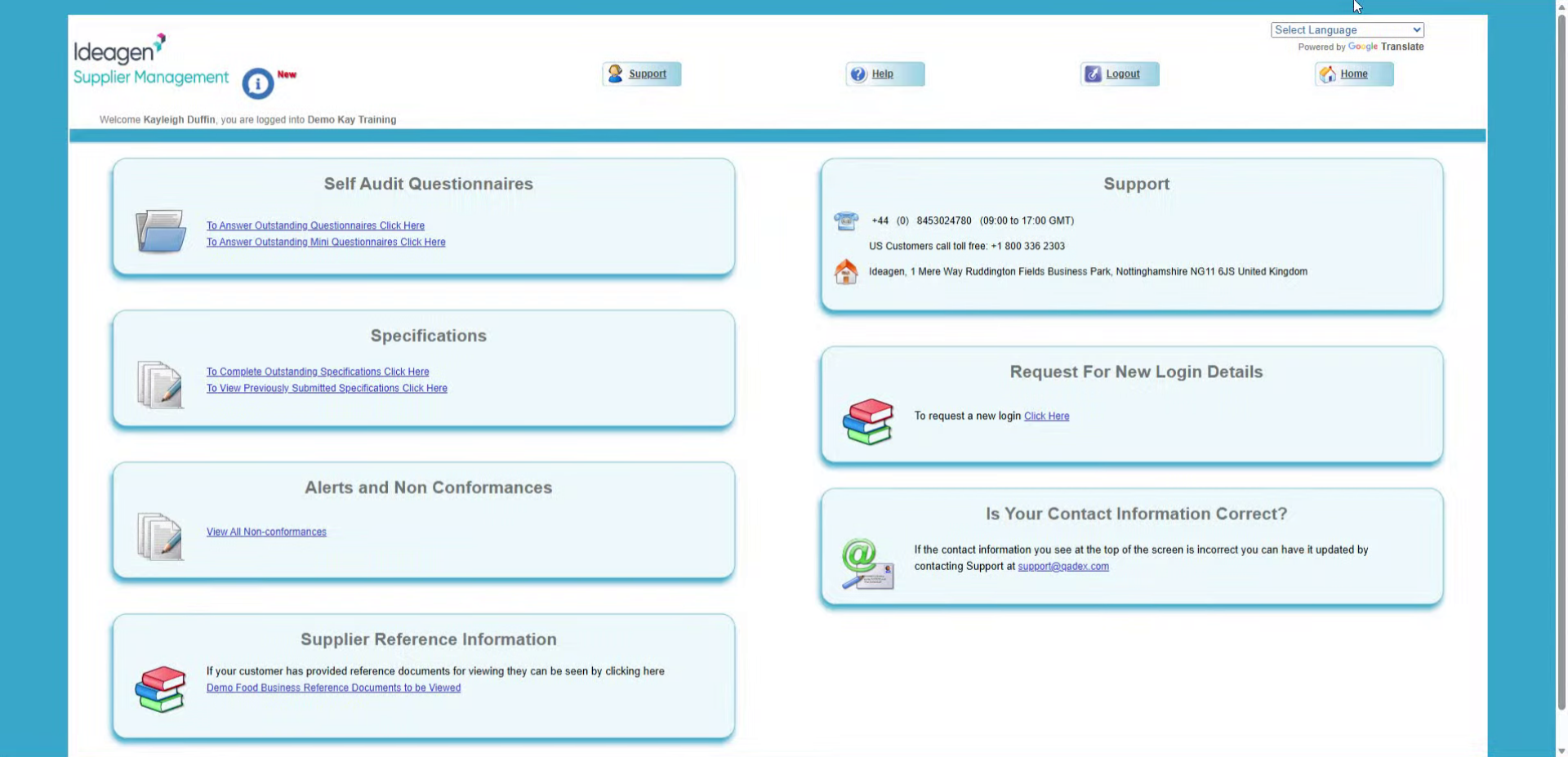
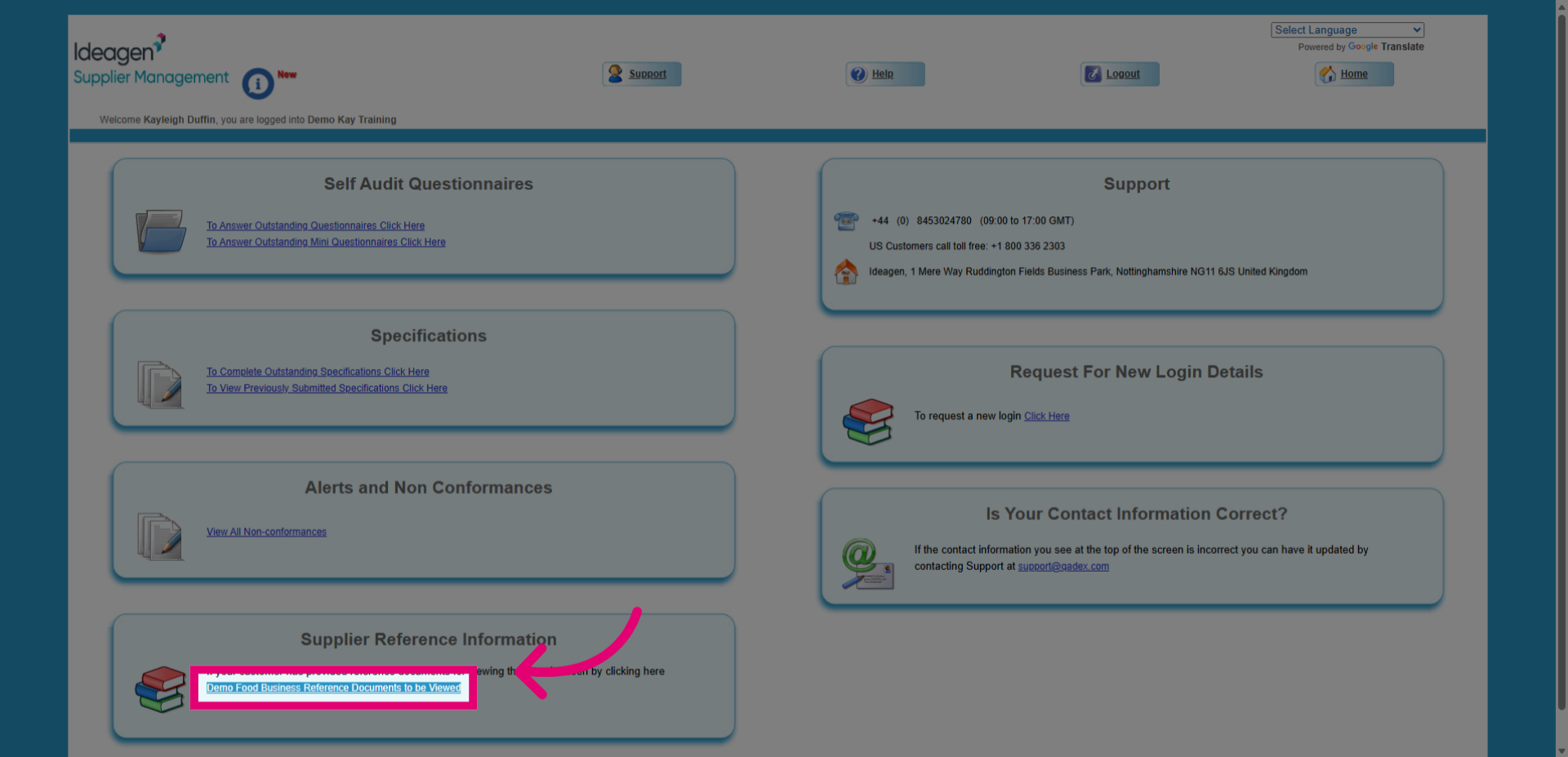
- Click the blue highlighted link to open the supplier reference documents.
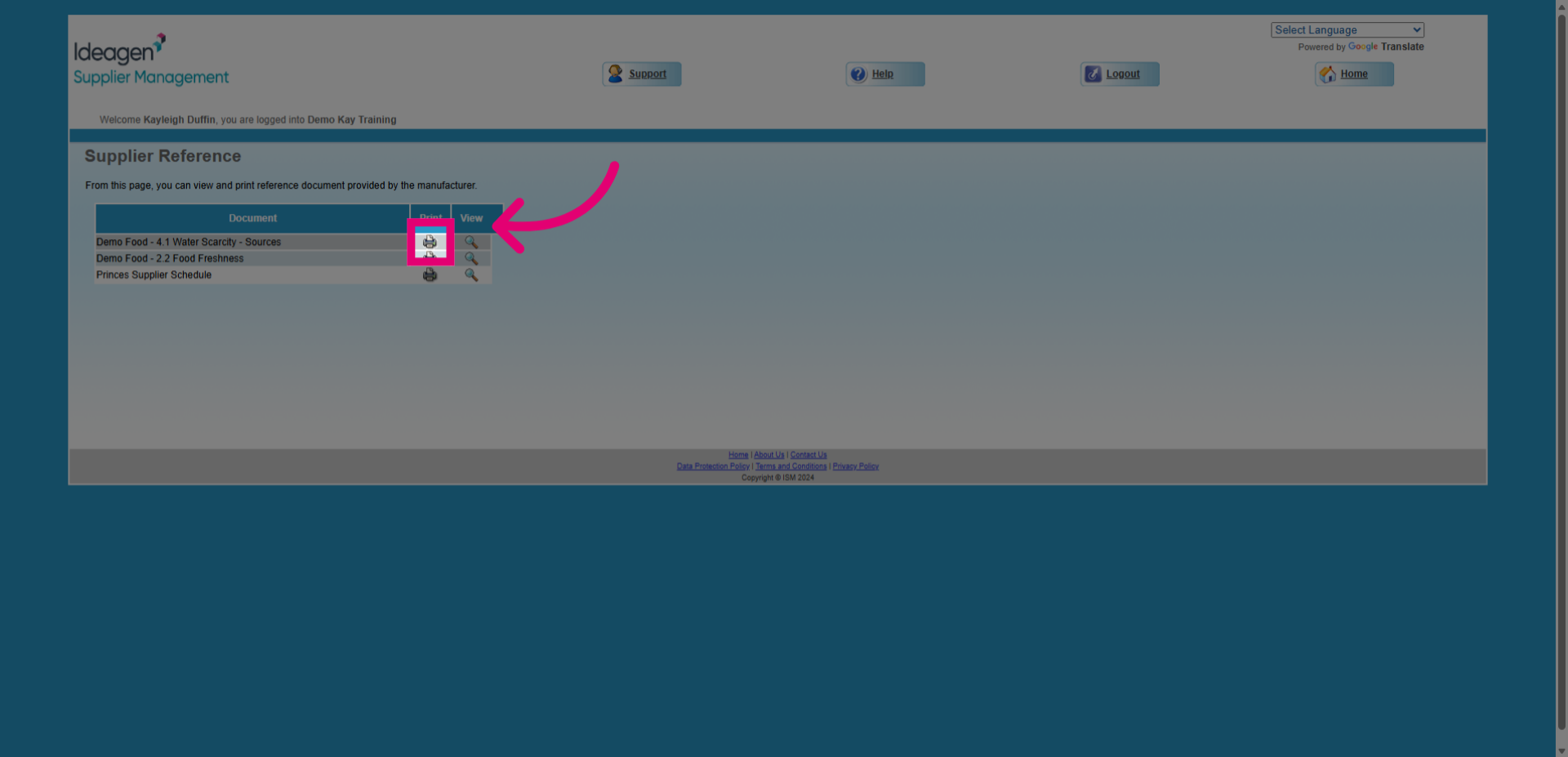
- Click the specific document link to select and view the document you want from the reference library.