New article
Recently updated
Resetting your password in Supply Chain Management (SCM)

Who is this article for?
Users needing to reset or update their password.
No special access or permissions are required.
This article explains how to reset your password in the Supply Chain Management (SCM) version of the solution.
1. Resetting your password
To reset your password in SCM:
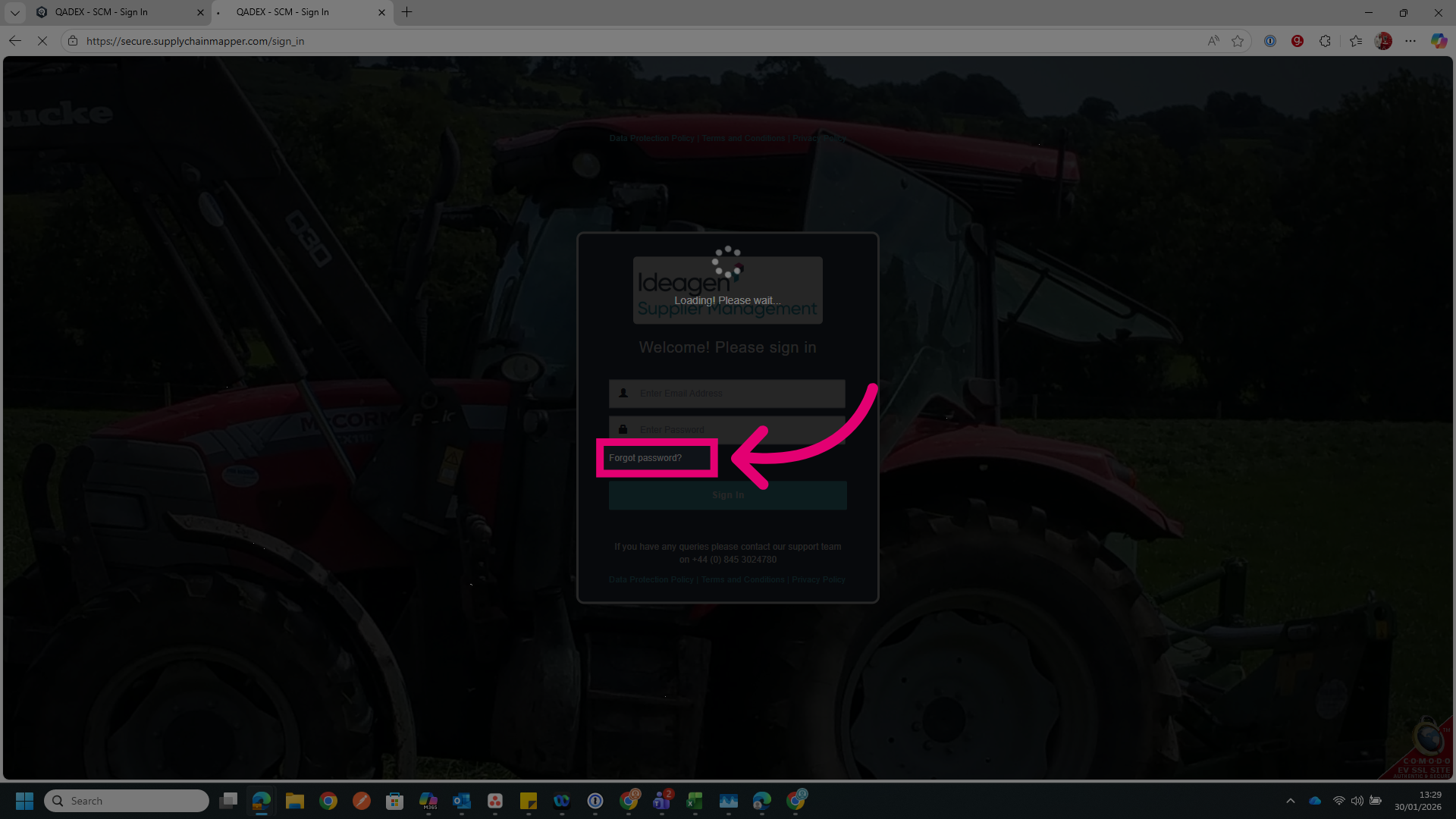
- Go to the sign in page.
- Click Forgot password?.
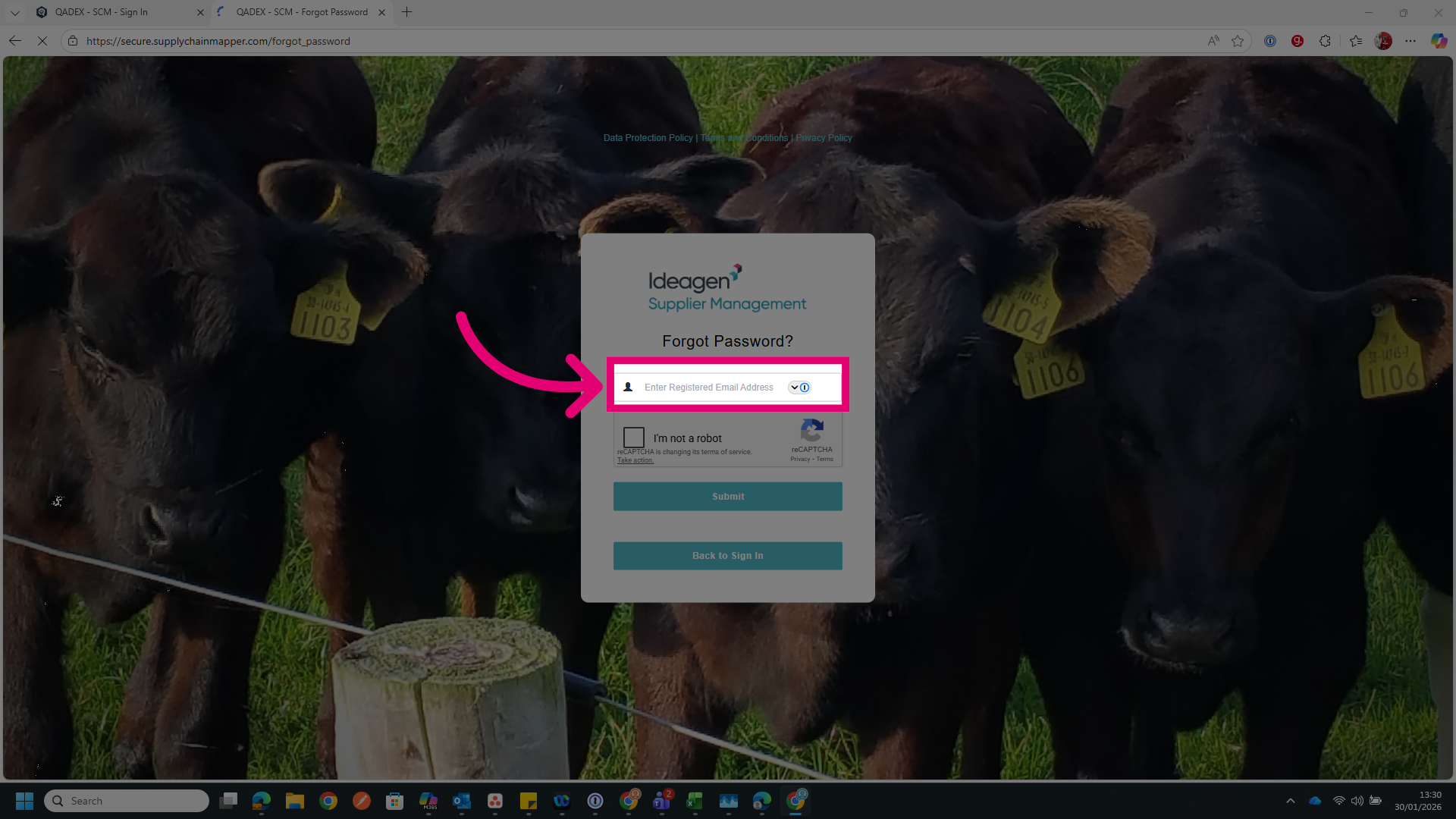
- Enter your registered email address.
This is needed to identify your account.
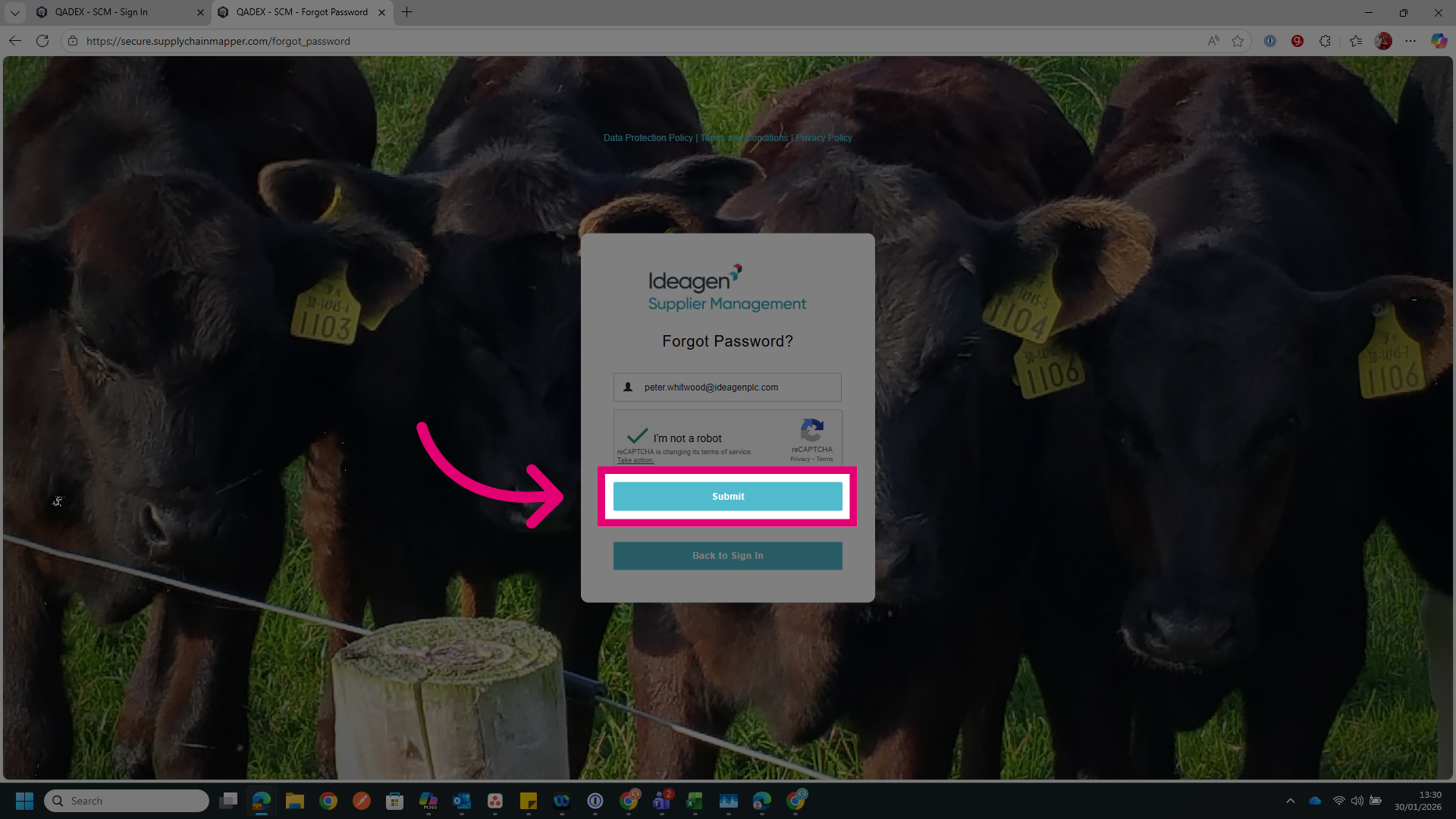
- Complete human verification if needed.
- Click Submit.
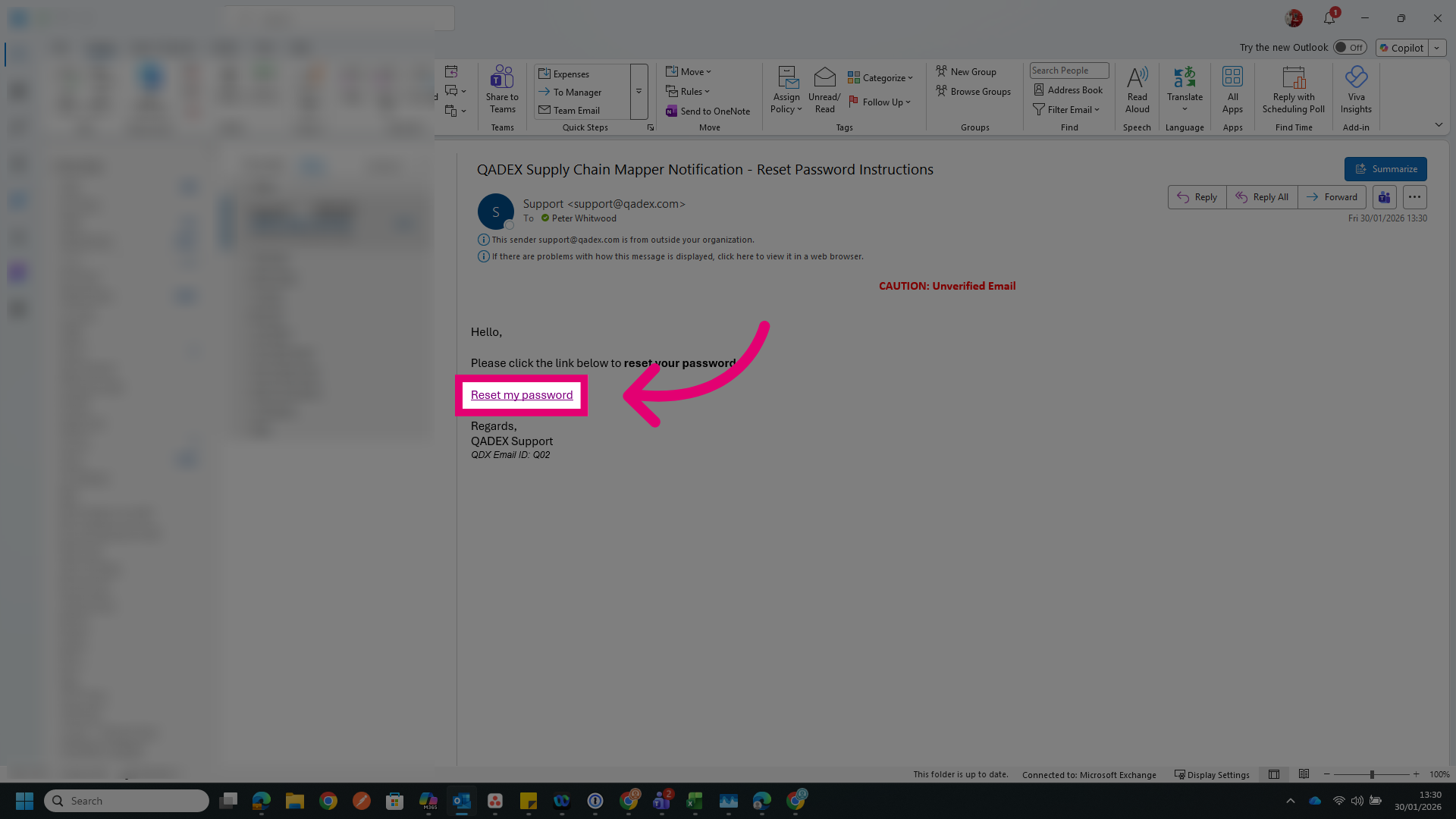
- Access your email inbox.
- Click Reset my password in the password reset email.
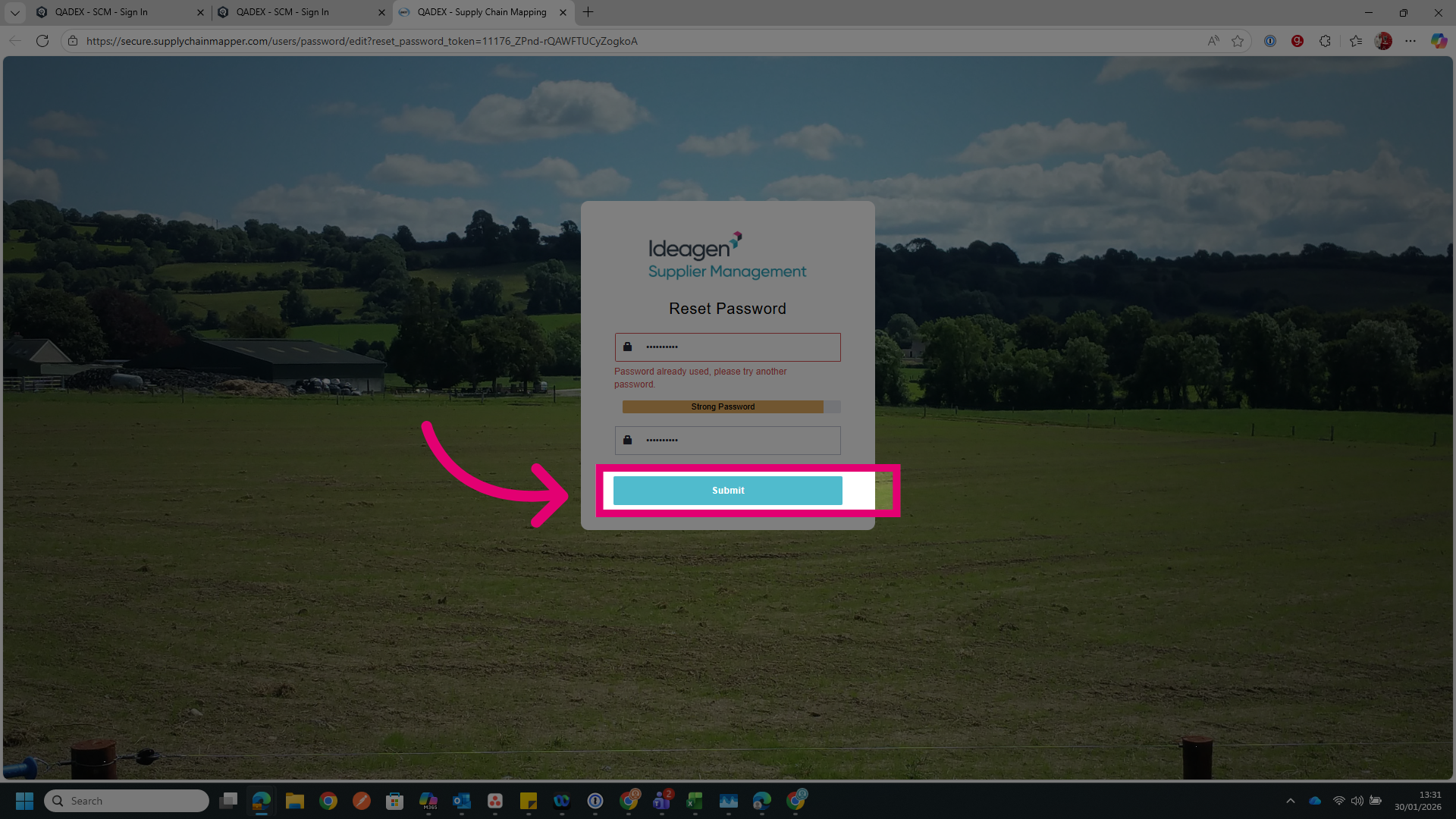
- Enter your new password.
- Confirm your new password.
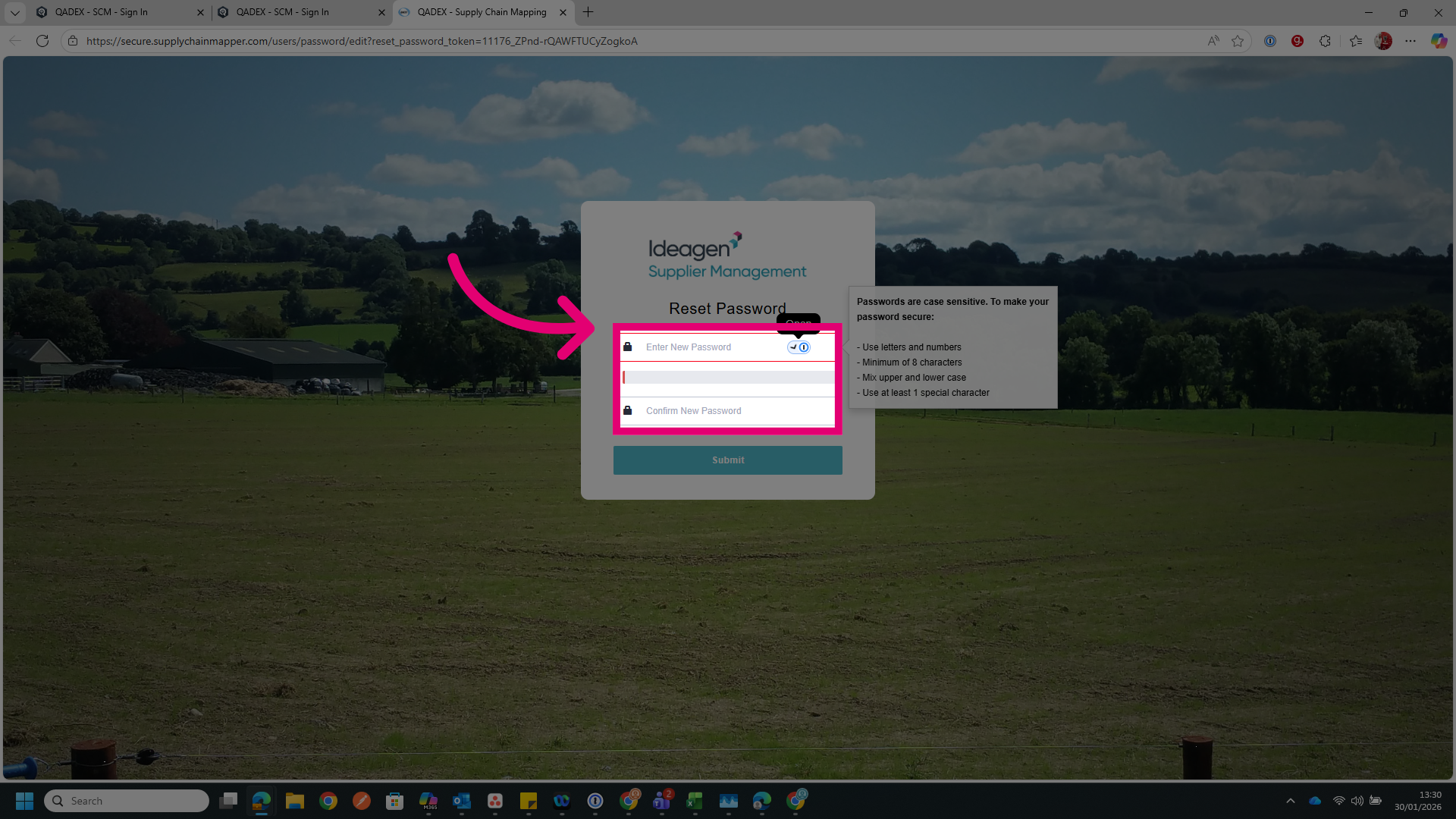
- Click Submit.